Every highlight in your Google Doc, harvested into one list.
Name your highlight colors, apply them with one click, then pull every highlighted passage into a clean summary grouped by color, in reading order. Built for students, editors, researchers, and anyone who reads with a marker.
Install for Google Docs Buy a license — $9 once
The mitochondria is the powerhouse of the cell, a phrase every biology student has heard. Cite Alberts 2022, ch. 14 for the mechanism. Is this on the exam?
How it works
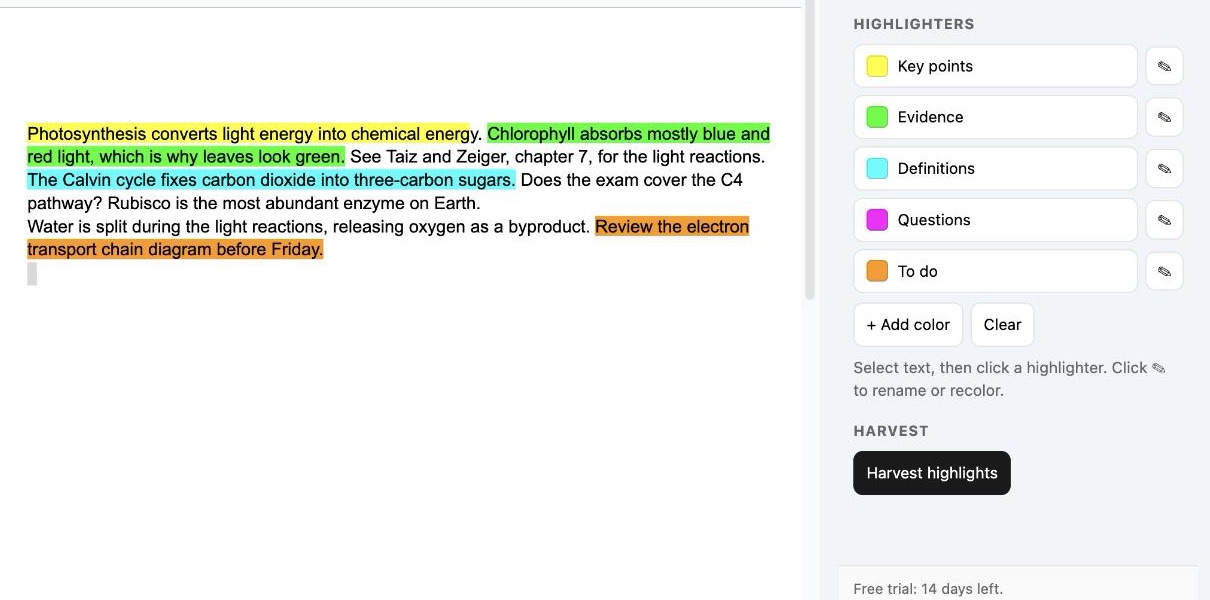
Name your colors
Give each color a job: Key points, Evidence, Definitions, Questions, To do. Rename or recolor any of them with the pencil. The names save to your account and follow you into every document.
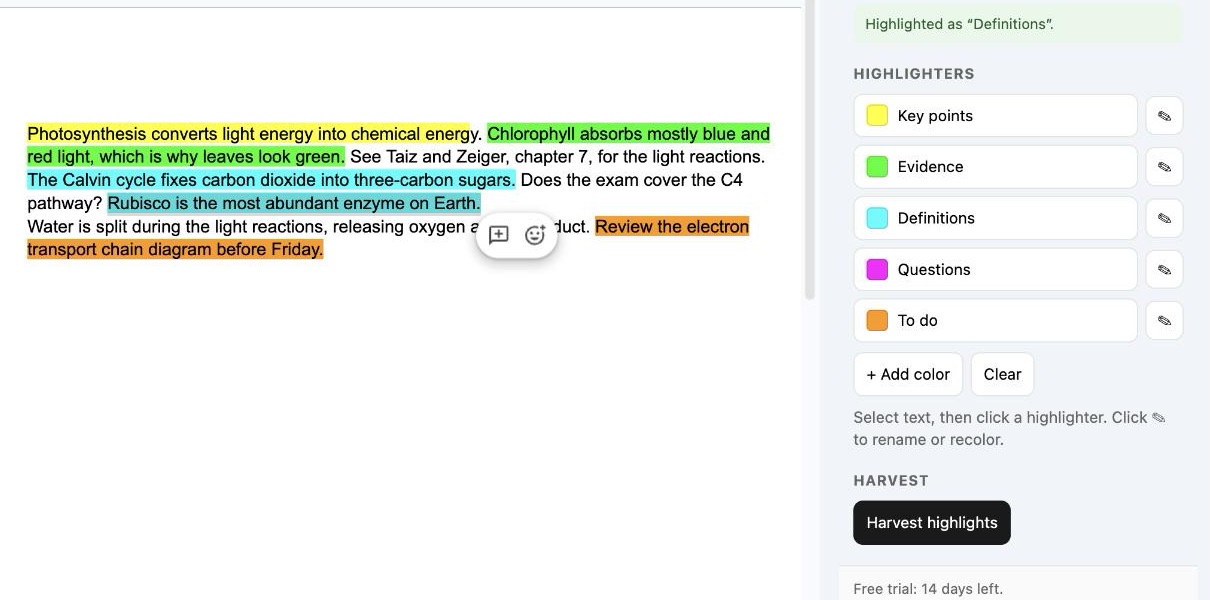
Select text, click a highlighter
Select any passage and click the named highlighter. No hunting through the color picker, and it is exactly the same shade every time, so grouping later just works.
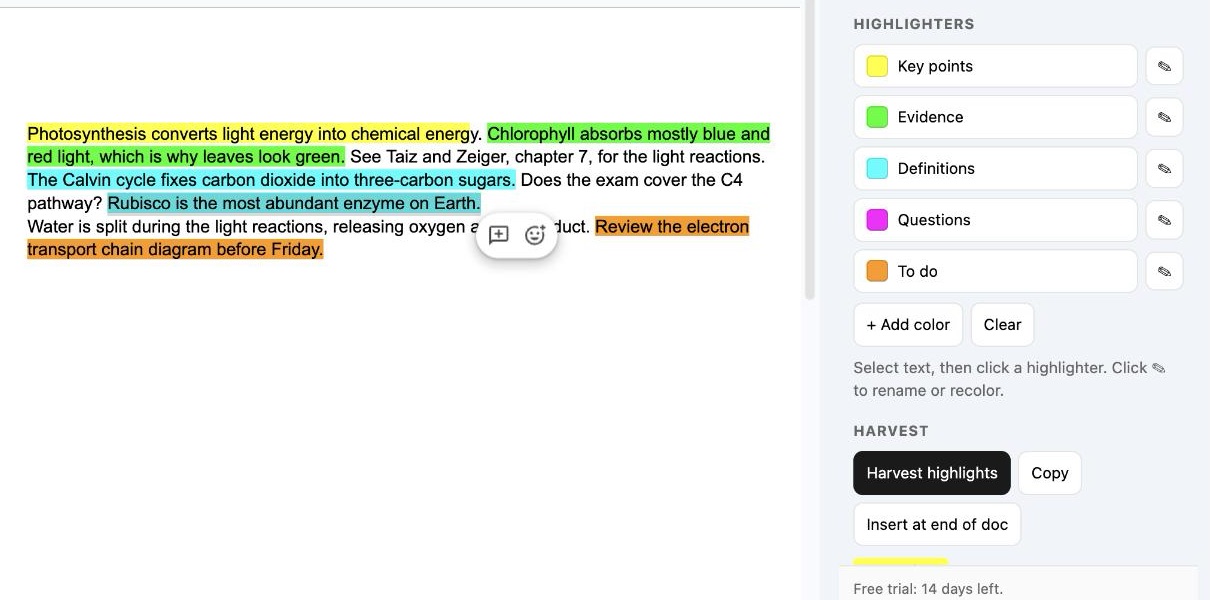
Harvest
One click reads every highlight in the document, whoever made it and whenever, and lists them by color in reading order. Copy the list into notes, an email, or a review.
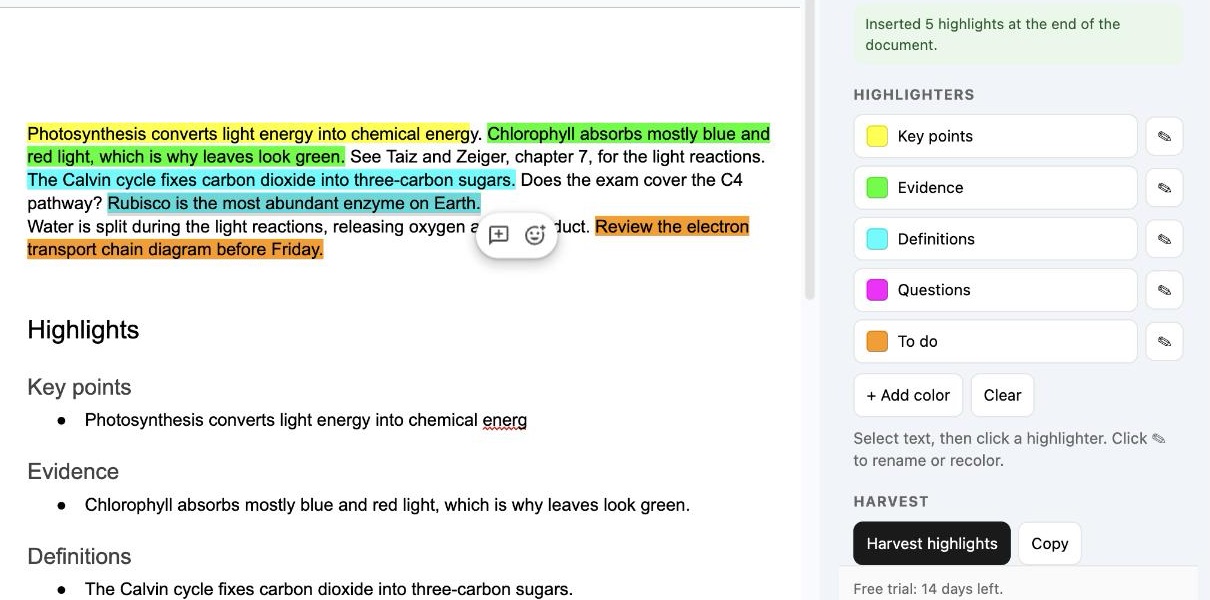
Or insert it at the end of the doc
Drop the whole summary into the document as a Highlights section, one heading per color, ready to share. Run it again after your next reading pass; it never double-counts itself.
Why not the free one?
The most-installed highlighter add-on asks for permission to see, edit, create, and delete all of your Google Docs. Highlight Harvest only ever touches the document you have open. It cannot see your other files, and it never sends your document anywhere.
| Highlight Harvest | Highlight Tool | |
|---|---|---|
| Google permission it needs | Only the open document | All of your Google Docs |
| Named highlighters | ✓ | ✓ |
| Harvest grouped by color, in reading order | ✓ | ✓ by color or sequence |
| Copy the list, or insert it at the end of the doc | ✓ | Sends it to a new document |
| Last updated | 2026 | Code from 2018, patched 2026 3.5★ from 700+ ratings |
| Price | $9 once | Free |
Highlight Tool facts checked on its Workspace Marketplace listing on 2026-09-09. It is made by a third party and is not related to Geary Works. Full comparison →
Pricing
Try everything free for 14 days. After that, a license key unlocks it forever on every doc you open. Payments are handled by Polar, which issues your key by email, usually within a minute.
- 14-day free trial from the first time you open the sidebar, no card needed
- One payment, no subscription
- All future updates included
- Works on every doc you open
- Named highlighters saved across docs
- Email support from a real person
Questions
Do I need to create an account?
No. Install the add-on from the Google Workspace Marketplace™ and it works. Google asks once for two permissions: to edit the document you have open, and to show the sidebar inside Google Docs. Nothing else, ever.
What happens when the 14-day trial ends?
The highlighting and harvest buttons pause until you paste a license key. Your highlights and color names stay exactly as they are, and nothing in your documents changes.
How does the license key work?
After you pay, your key (it starts with "HH-") is shown on the thank-you page and emailed to you from support@highlightharvest.com. Paste it into the sidebar once. It is tied to your Google account, so it follows you to every document without expiring.
Can I get a refund?
Yes. Email support@highlightharvest.com within 14 days of buying and you get your money back, no questions asked.
Does it work with highlights I made before installing?
Yes. Harvest reads the background color of every run of text in the document body, whoever made it and whenever. Give a color a name in the sidebar and existing highlights in that color are grouped under it.
Does my document leave Google?
No. The add-on runs inside Google's own Apps Script service and never sends your text anywhere. The only outside call is a license-key check to Polar, which contains the key and nothing from your document.
Does it work in Google Sheets or Slides?
Not yet. Highlight Harvest is a Docs add-on. A Sheets version is on the list; email support if you want it and you will hear first.
Install
Highlight Harvest is on the Google Workspace Marketplace™. Install it once and it appears under Extensions in every Google Doc you open.
Install from the Google Workspace Marketplace
Free for 14 days. Then $9 once, for every doc, forever. Support